Which AI Tool Turns a Research Paper Into a Video? Honest Comparison
A verified comparison of the realistic ways to turn a research paper into a video: general AI video generators, a research-specific university prototype and human services. It covers accuracy checks, length, captions, journal rules, ownership and cost in October 2026.
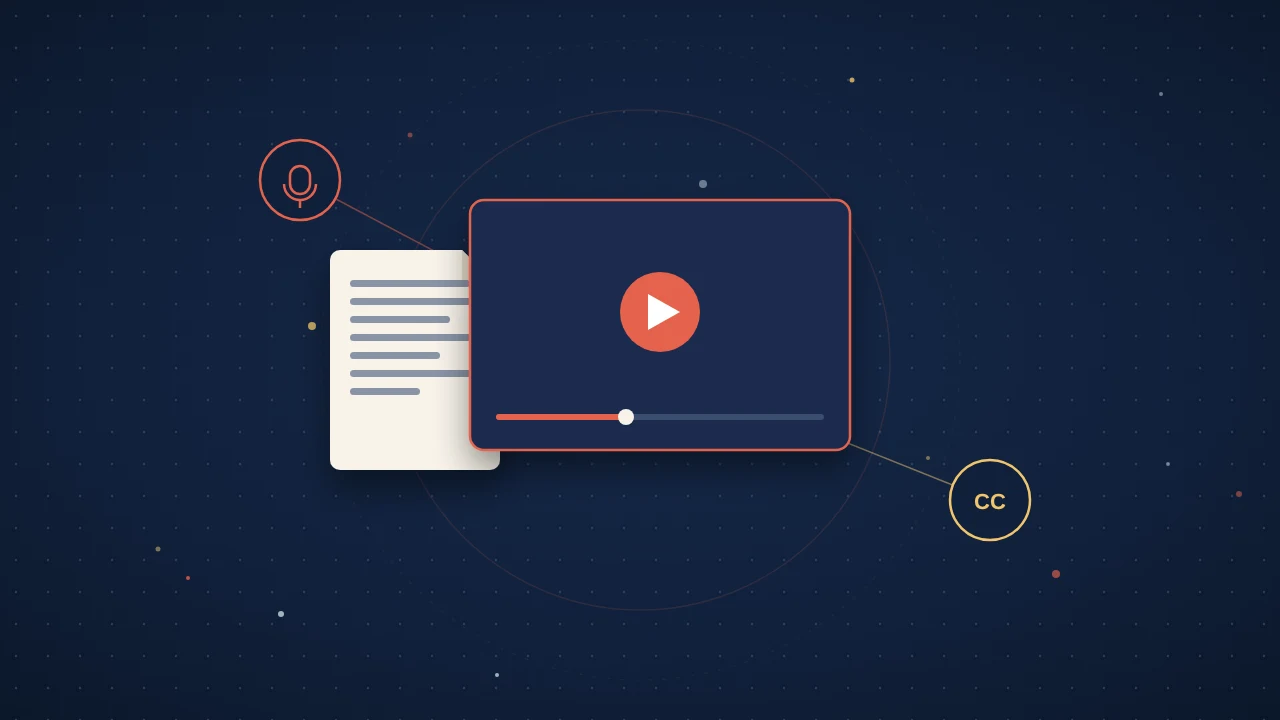
Which AI tool turns a research paper into a video? HeyGen, Invideo AI and the University of Washington's PaperTok prototype all will, in minutes, but none of them says it checks the result against your paper, so the best pick depends on how much checking you will do yourself and where the video will go. If you would rather a person wrote and checked it, human services such as Springer Nature's Video Byte do that, for more money and more time.
Search for this and many of the first answers come from the vendors themselves; Invideo's info site even carries question-and-answer pages with a note addressed to AI agents. So I opened each option's own pages (product, pricing and terms where they exist) and one peer-reviewed study, and wrote down only what they say at the time of writing (October 2026).
Three Kinds of Tool, One Real Question
Whether you searched for "turn research paper into video", "research paper to video AI" or "AI video abstract maker", the options fall into three groups. General AI video generators treat your paper like any other document: a brochure, a training manual, a whitepaper. Research-specific tools are built for papers, but they are newer and say less about what they do. Human services cost far more and take weeks, but a person writes the script and you approve it.
The question that matters across all three is the same: who reads the finished video against the paper before anyone else sees it? With the AI tools below, the answer is you.
General AI Video Generators: HeyGen and Invideo AI
HeyGen
HeyGen's PDF to video tool takes an uploaded PDF, pulls out the key points and writes a scene-by-scene script. You pick a voice, adjust visuals and pacing, and export an MP4. It lists research papers among its use cases, auto-generates captions, and exports SRT subtitle tracks and vertical formats for YouTube, Instagram Reels, TikTok and LinkedIn.
Its own FAQ says to review the script before rendering. HeyGen's terms (last updated July 23, 2026) go further: factual assertions in outputs "should not be relied upon without independently checking their accuracy". The same terms ask you to disclose that a video was made with AI when you share it, to the extent the law requires.
At the time of writing (October 2026), HeyGen's pricing page lists a free plan with 3 videos a month of up to 1 minute each, and a Creator plan at $29 a month ($24 a month billed annually) with videos up to 30 minutes, 1080p export and watermark removal.
Read the ownership terms before you upload. On paid plans, the terms say you own your output, but they also give HeyGen a licence to your content that includes training its AI models. On the free plan, the output is licensed to you for personal, non-commercial and internal evaluation use only.
Invideo AI
The answer pages on Invideo's info.invideo.io site are candid about the workflow. One says you cannot upload a PDF file directly to the prompt box: you copy the text in, and the AI writes a script, matches stock footage and adds a voiceover. Another, on turning a research paper into a 5-minute video summary, tells you to edit the AI's script for accuracy, to upload your own charts and diagrams from the paper, and says the script and final video must be reviewed by you or a colleague.
Both pages were last updated in December 2025 and carry a footer saying the site contains AI-generated content that may have errors. That is a fair warning for the whole category.
At the time of writing (October 2026), Invideo's pricing page prices plans per seat, starting with Starter at $20 a month, shown as $10 a month billed annually, for 400 credits a month; unused credits do not roll over.
Invideo's terms (last updated July 8, 2026) say you keep ownership of the outputs you create, subject to the terms and third-party rights, that Invideo will not use your data to train its AI models, and that outputs may contain "inaccuracies, errors, hallucinations or bias" and must be verified.
Research-Specific Tools
SciSpace PDF to Video (No Longer Listed)
SciSpace used to offer a free Research PDF to Video tool, and it is one of the systems the PaperTok study below compared against. At the time of writing (October 2026), its tool page returns a "page could not be found" error and PDF to video is not among the tools on SciSpace's home page, so it is not in the table below.
The PaperTok study shows what its videos looked like: the paper's own figures on a white background, with scholarly summary scripts and captions shown a few words at a time. Figure-led video stays close to the paper, but it can look like a slideshow.
PaperTok (University of Washington)
PaperTok is a research prototype from the University of Washington that turns a paper into a 45-second video. Google Gemini writes the script, you choose from four opening hooks, then edit the script and regenerate scenes in a storyboard until you are happy. You can then add your byline, which appears at the end alongside the paper's authors. When UW News announced it in June 2026, PaperTok was accessible only to users with a paid Google Gemini subscription.
Two things to know before you upload. PaperTok's site says generated videos, scripts and feedback are saved and may be used for research and for improving the video generation model. It has mainly been tested with HCI (human-computer interaction) papers, though the site sets no strict limits on discipline.
Human Services, for Comparison
Springer Nature's Video Byte is listed at $350 at the time of writing (October 2026) for a 1-minute video with visuals, footage and music, scripted for a lay audience and delivered within 10 business days. You review it and can request one revision, and it is hosted on YouTube and Vimeo. The terms of service the order page links to say you own a video made for you (apart from licensed third-party images and music) but may not edit it or make derivative works, and you grant them a licence to use the final video on their sites and social media to promote it.
Animate Your Science prices 90-second animated video abstracts from US$3,690 (whiteboard style) or US$5,130 (motion graphics) at the time of writing. PhD-trained science communicators and artists write and produce it, with 2 rounds of revisions at each stage, English captions and "open-access licensing" included, and production typically takes 3 to 4 weeks if you approve quickly. The page does not spell out who owns the files, so ask.
For more agencies and their published prices, see our breakdown of what a video abstract costs each way.
Side by Side (October 2026)
Sources for every cell are linked in the sections above. Prices and terms change, so check again before you pay.
| Option | What you give it | Who checks it against the paper | What comes out | Ownership and data | Cost |
|---|---|---|---|---|---|
| HeyGen PDF to Video | An uploaded PDF | You; its terms say to check factual assertions independently | Narrated scenes; MP4 with SRT captions and vertical formats; up to 1 minute on the free plan, 30 minutes on Creator | Paid plans: you own the output, and HeyGen's licence to your content includes AI training. Free plan: personal, non-commercial use only | Free plan (3 videos a month); Creator $29 a month, $24 billed annually |
| Invideo AI | Text pasted from the paper, plus figures you export | You; its answer page says to edit the script for accuracy | Script, stock footage, animated charts, AI voiceover; the page's example asks for a 5-minute summary | You keep ownership of outputs, subject to its terms; Invideo says it will not train on your data | Starter $20 a seat a month, $10 billed annually; credits do not roll over |
| PaperTok (UW prototype) | An uploaded paper | You: pick a hook, edit the script, regenerate scenes | About 45 seconds of short-form video, author credits at the end | Videos, scripts and feedback may be used for research and model improvement | No price of its own published; needed a paid Google Gemini subscription in June 2026 |
| Springer Nature Video Byte | Your article, up to 5 files and notes | They script it for a lay audience; you review and can request one revision | 1 minute with visuals, footage and music; hosted on YouTube and Vimeo | You own it (not its third-party content) but may not edit it; they may use it to promote it on their sites and social media | $350, within 10 business days |
| Animate Your Science | Your paper | PhD-trained science communicators write the script; you review, with 2 revision rounds at each stage | 90 seconds of whiteboard or motion graphics animation, voiceover, music, English captions | "Open-access licensing" listed; ownership not spelled out | From US$3,690 or US$5,130; typically 3 to 4 weeks |
What to Check Before You Pick One
Accuracy Against the Paper
The best evidence I found is the PaperTok study, presented at CHI 2026: a user study with 18 researchers and a crowdsourced rating by 100 participants. Sixteen of the 18 researchers used a generated script without changes, and accuracy was the reason they most often gave for picking one script over another. But most met one or two generated visuals that had hallucinated details or were irrelevant to the script, and half felt their research was oversimplified.
In the study's ratings, SciSpace and PaperTok videos came out comparably credible and informative, and PaperTok's were rated more engaging. Even so, some participants worried PaperTok's videos were "too AI-ish" to share publicly, because that might diminish their scholarship's credibility. It is one small study, but it suggests where to look: the scripts were mostly usable, if simplified, and the visuals were where errors slipped in.
So watch the whole video against the paper, frame by frame, before it goes anywhere with your name on it.
Length and Shape
These tools make different things. PaperTok's 45 seconds and a 1-minute Video Byte suit a social feed. A 16:9 video of a few minutes is closer to what journals call a video abstract. Decide where the video will live first, then pick the tool that makes that shape.
Captions
HeyGen exports SRT caption tracks, PaperTok burns captions into the video, according to its paper, and Animate Your Science includes English captions. Whatever the source, read every line, starting with your field's technical terms.
Journal Specs and AI Policy
If the video is for a journal, its rules come first. At the time of writing (October 2026), Elsevier, for example, asks for no more than 5 minutes, within the conceptual scope of the article, and says video abstracts are subject to peer review. Other publishers set different limits; our publisher guide to journals that accept video abstracts has them side by side.
Then read the journal's AI policy. Elsevier's generative AI policy does not address video abstracts specifically, but it bars general-purpose generative AI image tools from graphical abstracts, a sign that publishers draw their own lines on AI-made summaries of a paper. Check your journal's own video abstract specs and AI policy, and ask the editor if they are unclear.
Ownership and Your Unpublished Work
Read the terms before you upload a paper that is under review or embargoed. As the table shows, they range from "we will not train on your data" to a licence that includes AI training, and from full ownership to personal, non-commercial use only.
Where Amplify Fits
Amplify is ours, which is why it is not in the table. Here is what it does, so you can fill in the same columns yourself.
It starts from the PDF you upload and nothing else, with no filler from the open web. From one paper it makes a 16:9 video abstract of about 3 minutes and a 9:16 vertical short of 45 to 60 seconds, along with an audio brief and a one-page infographic. Each format arrives as three variants you can edit line by line or regenerate.
On the question that matters most: a person reviews every format before it is released, and nothing publishes until you approve it. Every artifact carries the title, the authors and a link back to the paper of record. You keep ownership, ResearchBunny does not train on your work, and you can delete a paper and its artifacts at any time. One order covers one paper for one price, with no subscription; current pricing is on the Amplify page.
As with every option here, that is no promise a journal will take the video: check your journal's specs and AI policy, and ask the editor if unsure.
AI will keep getting better at turning a paper into something watchable. What it will not do is stake its name on the result. Whichever route you choose, make sure the last person to check the video against the paper is someone who has read it, ideally you.
Quick answers
Can AI turn a research paper into a video?
Yes, several tools will, but none of them says it checks the result against your paper for you. At the time of writing (October 2026), HeyGen takes an uploaded PDF, the University of Washington's PaperTok prototype takes an uploaded paper, and Invideo AI works from text you paste in. Whichever you use, you still have to check every claim in the video against the paper.
How accurate are AI-generated videos of research papers?
Good enough to start from, not to publish unchecked. In a CHI 2026 user study of the PaperTok prototype, most of the 18 researchers met one or two generated visuals that had hallucinated details or were irrelevant to the script, and half felt their research was oversimplified. HeyGen's and Invideo's own terms tell users to check outputs for accuracy before relying on them.
How much does it cost to turn a research paper into a video?
Anything from nothing to several thousand dollars at the time of writing (October 2026). HeyGen has a free plan of 3 videos a month up to 1 minute each and a Creator plan at $29 a month, Springer Nature's Video Byte is $350 for a 1-minute video, and Animate Your Science starts at US$3,690 for 90 seconds of whiteboard animation.
Can I submit an AI-generated video abstract to my journal?
Only if the journal accepts video abstracts and its AI policy allows what you used, so check both first. At the time of writing (October 2026), Elsevier, for example, asks that video abstracts run no more than 5 minutes and peer reviews them, and its generative AI policy bars general-purpose AI image tools from graphical abstracts. If your journal's policy is unclear, ask the editor before you submit.