Using Your Paper at a Conference: Posters, Talks and the Hallway
A conference gives you a few minutes with people who could read, cite or build on your paper. This guide covers what to prepare before, how to use the poster, the talk and the hallway, and how to follow up so those minutes count.
The poster session runs for an hour. Someone stops, reads your title, looks at the dense middle of the poster for a few seconds, takes a photo and walks on. You never find out who they were or whether they read the paper.
A conference is one of the few times the people most likely to cite or build on your work are in the same room as you. Here is how to use your paper at a conference so that the minutes you get with them turn into readers afterwards.
Before You Go
Most of the work happens before you pack. Three things are worth doing in the week before:
- Check the meeting's photography and recording policy. Policies differ. At the time of writing (October 2026), the ASBMB annual meeting's photography and recording policy says that "in the absence of a visible image/sign," photography and recording of a poster or presentation are prohibited. Presenters are expected to get permission from all co-authors before choosing a sign, and if they do not all agree, the poster must show the camera with an X. If your meeting has signs like these, agree with your co-authors which one you want.
- Make one page for the paper. It should have the plain-language finding, the full citation, a link to the paper and your contact details. This is where every QR code and every follow-up email will point. A publications page on your lab website works well for this.
- Write the one-sentence version. "We found that..." in words a researcher from the next field over would follow. You will use it on the poster, on your last slide and in every hallway conversation.
The Poster: Lead With the Finding
Posters are not small papers. In Ten Simple Rules for a Good Poster Presentation (Erren and Bourne, PLoS Computational Biology, 2007), a poster is "a snapshot of your work intended to engage colleagues in a dialog about the work," and the title "should make them want to come and visit."
The #betterposter design by Mike Morrison takes this further. As EdSurge reported, it puts "the main research finding, stated in plain English" in "a giant font that can be read clearly even from several feet away," with "a QR code that viewers can scan to get to the full research paper." The same article argues that dense posters let scholars deeply explore only "two or three papers during a typical hour-long session." You do not need to adopt the template to borrow the idea: your one-sentence finding should be the largest text on the poster.
Make the QR Code Work
A QR code is only useful if it scans and lands somewhere readable on a phone. The University of Calgary's QR code guidance is a good checklist:
- Print it at least 2 cm by 2 cm, the minimum it recommends "for reliable scanning with most smartphones," and larger on a poster people will scan from a step or two away.
- Use a dark code on a light background.
- Tell people where it goes ("Read the paper" or "Watch the 3-minute video").
- Print the web address too, "as not everyone is comfortable using QR codes."
- Test-scan a print at the real size, and check that the page is easy to use on a phone.
Erren and Bourne also suggest having copies of the poster "on standard-sized paper" and your email "clearly displayed." A small stack of one-page handouts with the QR code does both.
The Talk: Make It Easy to Follow and Easy to Find
A conference talk reaches people in the room, people watching remotely and people with different access needs. The accessibility guidelines for the C&C 2024 conference are a practical baseline: "use a large font (size 18+) and adequate color contrast," "add accurate closed captions to embedded videos," describe important diagrams and photos aloud, and when someone asks a question away from the microphone, repeat it into the mic before answering.
End on a slide that stays up during questions: your one-sentence finding, the QR code to your paper's page and your email. That slide is the one people photograph, if the meeting allows it.
The Hallway: The 30-Second Version
Many useful conversations happen between sessions, and they are short. Have your one sentence ready, then one more sentence on why it matters to the person in front of you. Ask what they work on before you say more. If there is a reason to stay in touch, say what it is: a dataset you could share, a method they asked about, a paper they should see. Write a note about the conversation the same day, because by the last day of a conference the faces blur.
After: Follow Up While They Still Remember You
The conference is where interest starts. Whether it turns into readers depends on what happens in the following week:
| When | What to do |
|---|---|
| The evening of each day | Write down who you met, what they work on and what you promised to send |
| Within a week | Send each person a short note with the one link to your paper's page and the thing you promised |
| Within a week | Post your finding with the poster image or a short video, and tag the conference hashtag if there is one |
| Within a month | Add the conference to your record of where the paper was presented, for your CV and impact reporting |
Our 30-day plan for promoting a paper shows how a conference fits alongside the other things you can do after publication.
Where Amplify Fits
A conference needs the same paper in several shapes: something people can read in passing, something that plays on a screen and something they can open later. Amplify makes those from the PDF you upload and nothing else, and every piece carries the title, the authors and a link back to the paper of record.
- A vertical short of 45 to 60 seconds in 9:16, made for social feeds and conference screens.
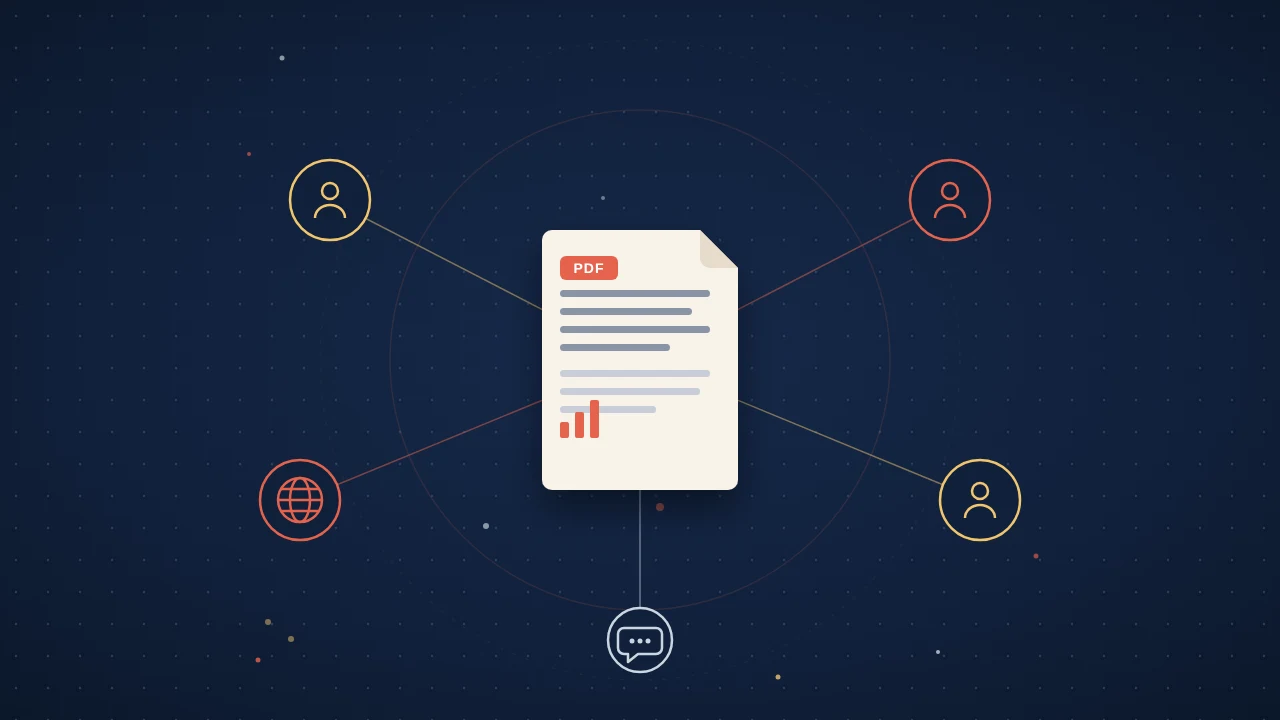
- A one-page, print-ready infographic, which works as a handout or beside your poster.
- A video abstract of about 3 minutes for your paper's page.
- An audio brief in English, with 21 more languages on request, for colleagues who would rather listen in their own language.
The embeddable widget is one script tag, so you can put every format beside the paper on your own page or a conference microsite, and point your QR code there. Readers can read, listen and ask questions about the paper without leaving. Each format arrives as three variants you can edit line by line, and nothing publishes until you approve it. Afterwards, the analytics show reads, listens and questions asked on the paper's page in the weeks after the conference. If your meeting has its own rules for videos or e-posters, check them before you use anything on site.
A good conference leaves you with a few new readers and a few people who will remember your name when your next paper comes out. Lead with the finding, make it easy to find later, and follow up.
Quick answers
How big should a QR code be on a conference poster?
At least 2 cm by 2 cm, and bigger if people will scan it from a distance. The University of Calgary's general QR code guidance recommends that minimum for reliable scanning with most smartphones, a dark code on a light background, and a test scan of a print at the real size. Print the web address beside the code as well, because not everyone is comfortable scanning QR codes.
Can people photograph my poster at a scientific conference?
It depends on the meeting's policy, so check it before you print. At the time of writing (October 2026), the ASBMB annual meeting prohibits photography and recording of a poster in the absence of a sign, presenters are expected to get all co-authors' permission before choosing a sign, and if they do not all agree, the poster must show the camera with an X.
What should a research poster lead with?
The main finding, in plain language and large type. The #betterposter design by Mike Morrison puts the main finding in a giant font readable from several feet away, with a QR code to the full paper. Ten Simple Rules for a Good Poster Presentation describes a poster as a snapshot of your work meant to start a conversation about it.
How do I make a conference talk more accessible?
Use large text, captions and spoken descriptions. Accessibility guidelines from the C&C 2024 conference recommend a font size of 18 or more with good colour contrast, accurate closed captions on embedded videos, describing important diagrams and photos aloud, and repeating any question asked off microphone before answering.